


The MY PA Planner
The 2027 Time Blocking Planner
4.8 on Google · Trusted by thousands since 2019
A to-do list tells you what to do. Time blocking decides when. MY PA puts daily time blocks next to your top three priorities on every weekly spread, so your goals get real time in your week, at work and at home.
The short answer
What is a time blocking planner?
A time blocking planner is a planner with timed slots for each day, so you give every task a start and a finish time instead of working from an open-ended to-do list.
- You decide in advance when each piece of work happens, so the day is planned before it starts.
- It protects time for focused work, and shows straight away when you have planned too much.
- It works best when the blocks come from your priorities, not just from your inbox.
Why it works
What makes a good time blocking planner?
A good time blocking planner starts with what matters, then gives it a place in your week. A day full of blocks is not the same as a day spent on the right things.
Priorities first, then the clock
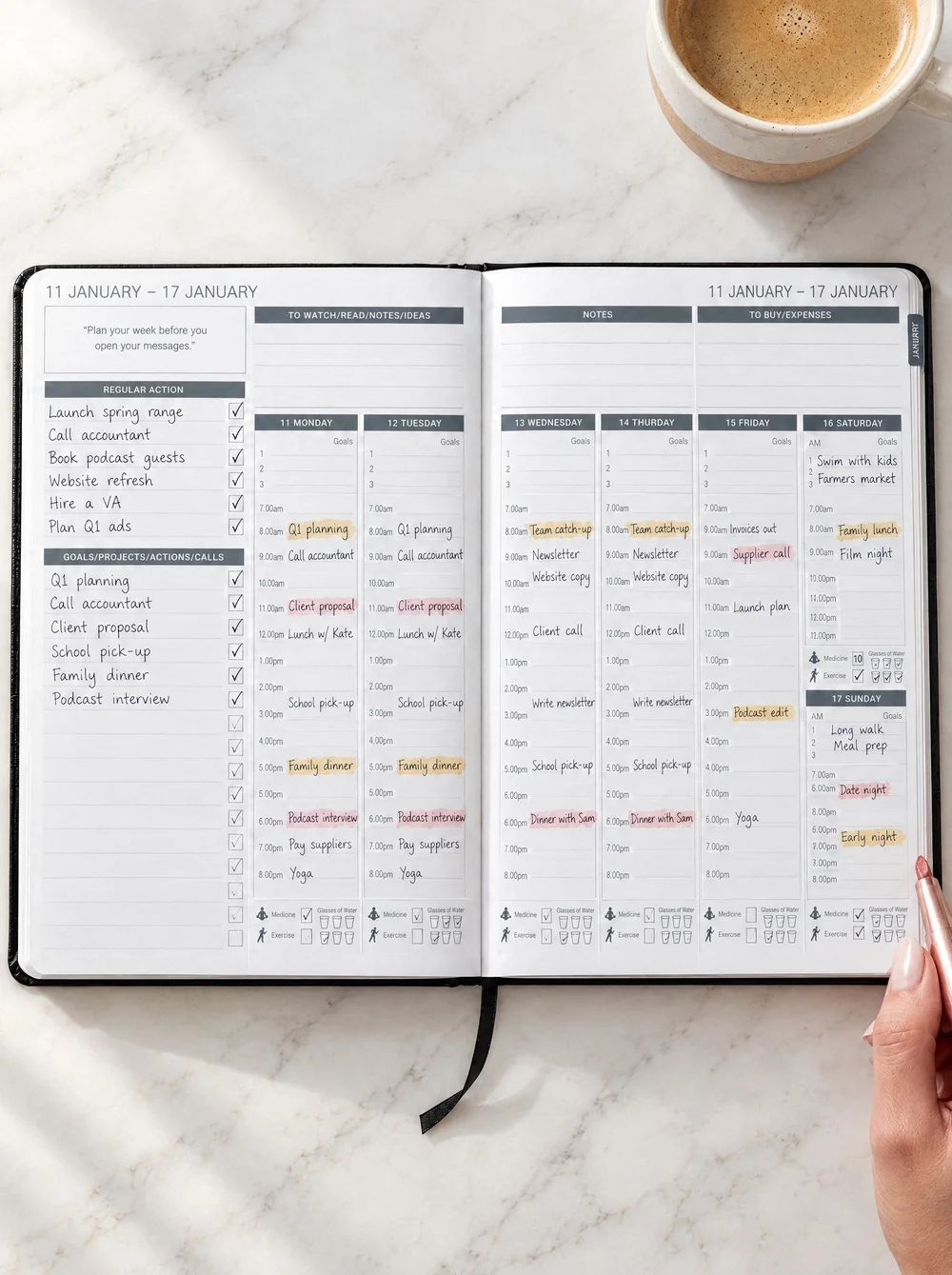
Your top three priorities sit beside the time blocks, so the most important work gets a slot before everything else fills the day.
The whole week on one spread
See all seven days side by side. Move a block from Tuesday to Thursday and you can see what it does to the rest of your week.
Your work and your life, together
Client calls, school runs, the gym and dinner with friends go in the same plan, with a weekly review to keep it realistic.
How to time block
How do you time block with the MY PA planner?
Time blocking in MY PA takes four steps: set your goals, choose the week’s priorities, block each day, then review what worked before you plan the next week.
Know your goals
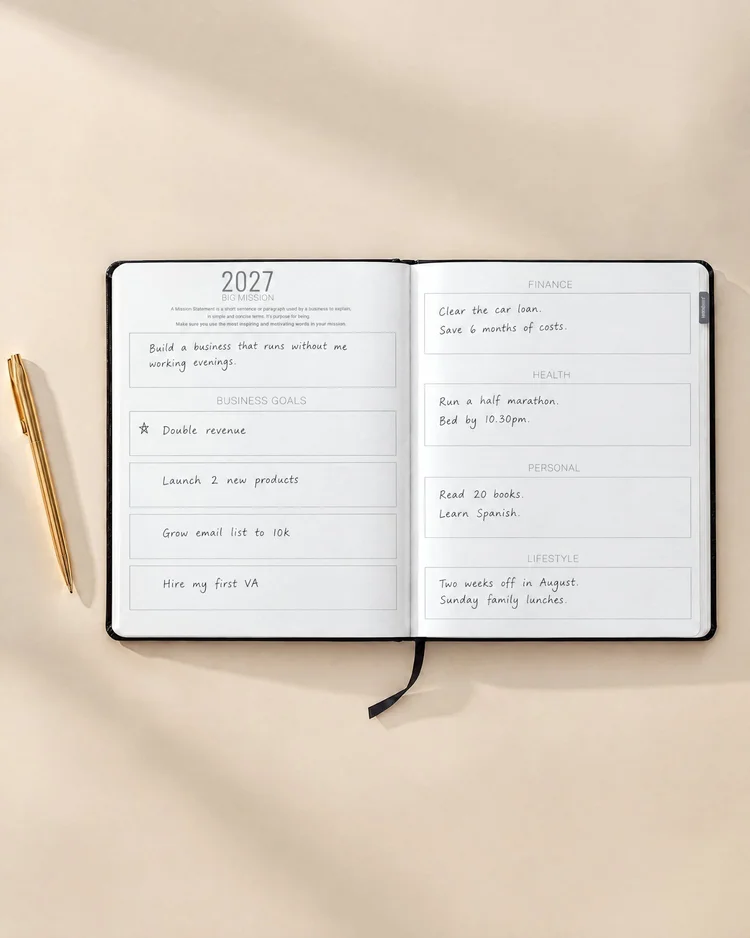
Set your goals for the year and the month, so you know what deserves a block.
Pick your top three
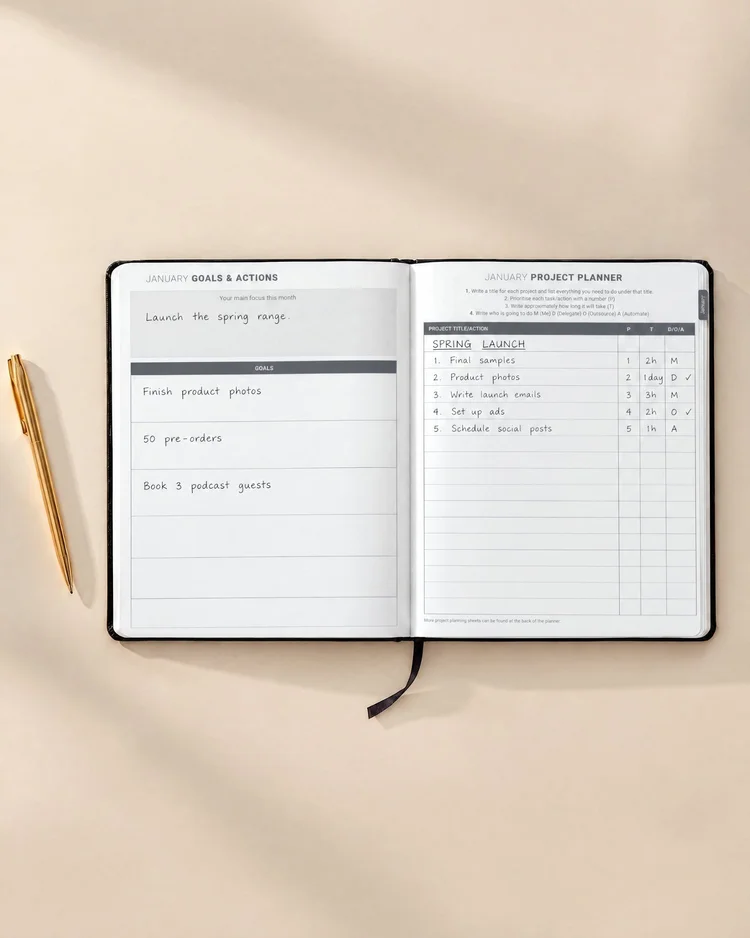
Choose the three priorities that move your projects forward this week.
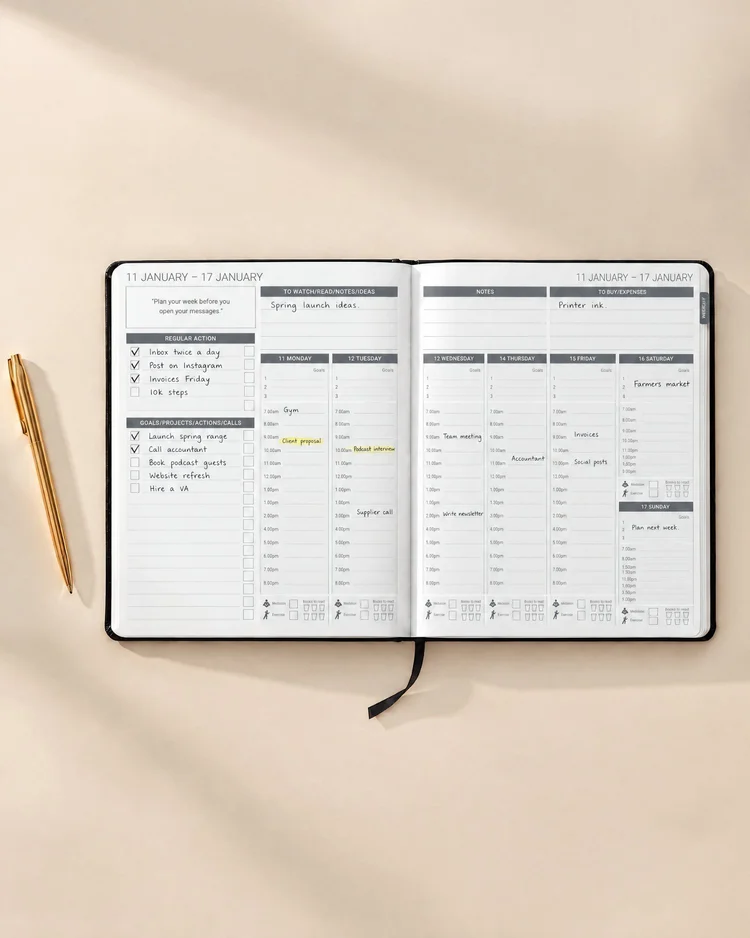
Block each day
Give each priority a time slot first, then fit meetings and smaller tasks around them.
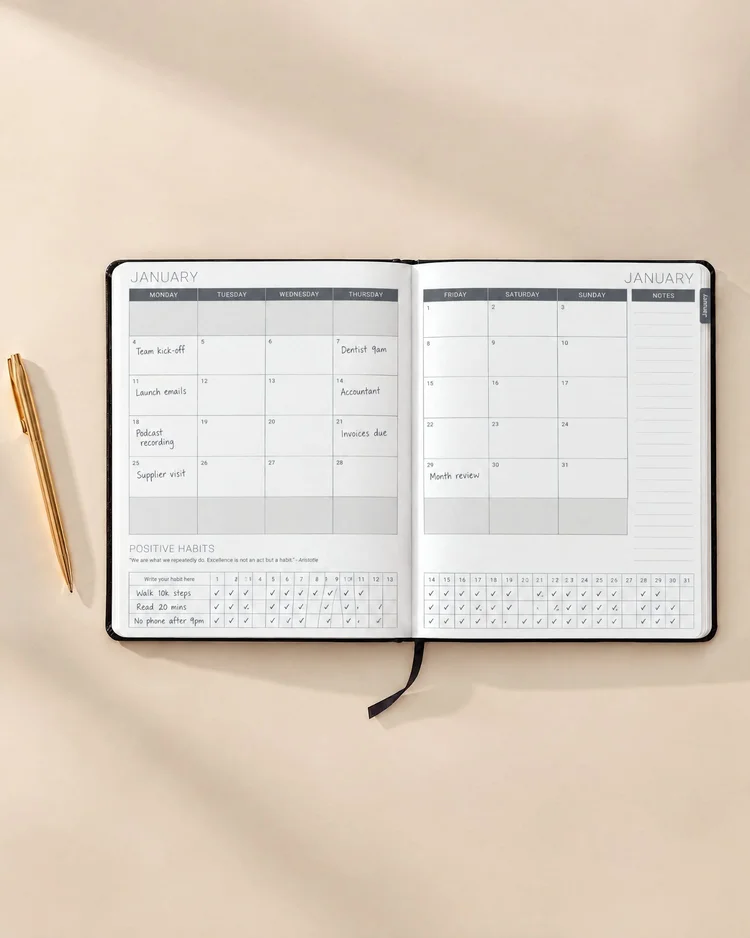
Review the week
Look back at what worked and what ran over, then plan next week with better estimates.
Choose your planner
Weekly, daily or digital time blocking
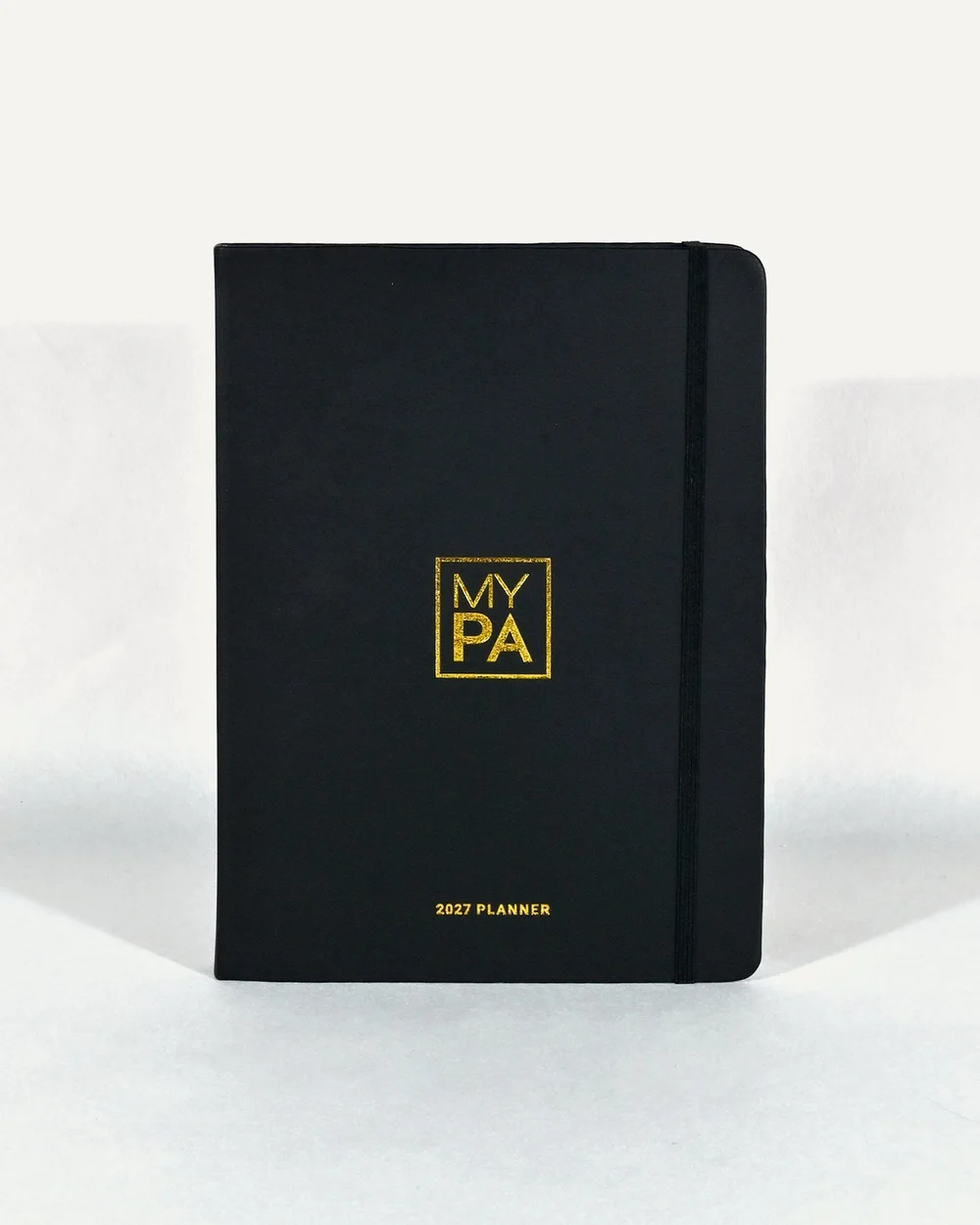
Time-block every day on the weekly spread, next to your top three priorities. Dated January to December 2027, with goals, projects and a weekly review. Eight colours.
Shop the 2027 Planner
A full page for each day: top 3 priorities, hourly time blocks from 5am to 8pm and a daily wellbeing check-in. Undated, 90 sheets, A4 landscape.
Shop Power Pages Daily
The same weekly time blocking as a hyperlinked digital planner for iPad, GoodNotes, Notability, reMarkable, Kindle Scribe, Onyx Boox and more. Instant download.
Shop Digital PlannersCompare
MY PA vs a typical time blocking planner
| Feature | MY PA Planner | Typical time blocking planner |
|---|---|---|
| Daily time blocking | Yes | Yes |
| Top three priorities beside the blocks | Yes | Sometimes |
| Yearly goals linked to your week | Yes | Rarely |
| Project planning pages | Yes | Rarely |
| Weekly review | Yes | Sometimes |
| Habit and wellness tracking | Yes | Sometimes |
| Full year in one book, no refills | Yes | Often quarterly or undated |
| Matching digital version for tablets and e-ink | Yes | Rarely |
For the full year: the MY PA 2027 Planner, with time blocking on every weekly spread.
For a full page a day: Power Pages Daily, with hourly blocks from 5am to 8pm.
For tablets and e-ink: the MY PA Digital Planner.
★★★★★ 4.8 on Google
Loved by people who get things done
I have never felt so organised and on top of life! Who needs a PA when you have one of these?Polly · Google review
Your planner is the most comprehensive all round business owners planner going.Rebecca · Google review
It encompasses almost everything I teach my clients in their business planning.Carie · Google review
Questions
Time blocking planner FAQs
What is a time blocking planner?
A time blocking planner is a planner with timed slots for each day, so you give every task a start and a finish time instead of working from an open-ended to-do list.
Does the MY PA planner have time blocking?
Yes. Every weekly spread in the MY PA 2027 Planner has daily time blocking, next to your top three priorities for the week. For a full page per day, Power Pages Daily has hourly time blocks from 5am to 8pm.
How do you time block a day?
Choose your top three priorities first, then give each one a block of time before anything else goes in. Add meetings and fixed commitments, group small tasks into one block, and leave some space between blocks so the plan survives a busy day.
Is a paper planner or an app better for time blocking?
Both work. An app is useful for meetings that move and for sharing a calendar. Paper is useful for deciding what matters and seeing the whole week at once, away from notifications. Many people use a calendar app for appointments and a paper planner for the plan.
Should I time block by the week or by the day?
Start with the week. Seeing all seven days on one spread shows where your time really goes and stops you loading everything onto Monday. Add a daily page when your days are very full or change a lot.
Is the MY PA planner dated?
Yes. The MY PA 2027 Planner is dated for the full year, January to December 2027. Power Pages Daily is undated, so you can start any day.
Try the system free
Download the free 2027 planner and time-block your first week.
Time blocking guides
Get more from time blocking
Time blocking: the complete guide
How to plan a time-blocked week from scratch, with worked examples.
Read the guideHow to time block like a pro
Simple rules for setting blocks you will keep.
Read the guideThe productivity planner
How MY PA connects your goals to your week and your day.
See the plannerPower Pages Daily
A full page a day, with hourly time blocks from 5am to 8pm.
See Power Pages